
How to Use Foreximo Signals
A quick, visual walkthrough for getting value from our signals: from joining the channel to placing trades in MT4/MT5/cTrader and managing risk like a pro.
Quick start
Join the Signal Channel
Open https://t.me/foreximosignals and tap Join. Enable notifications.
Read the Signal Card
Identify pair, direction, entry, SL, and TPs.
Place the Trade
In MT4/MT5/cTrader/WebTrader: select the pair, choose Buy/Sell, set lot size, SL/TP, then place.
Manage Risk
Risk ≤ 1–2% per trade. Consider partials at TP1 and trail stops.
AI Foreximo Signal Generator
Every signal contains a few key elements. Here’s how to read them at a glance.
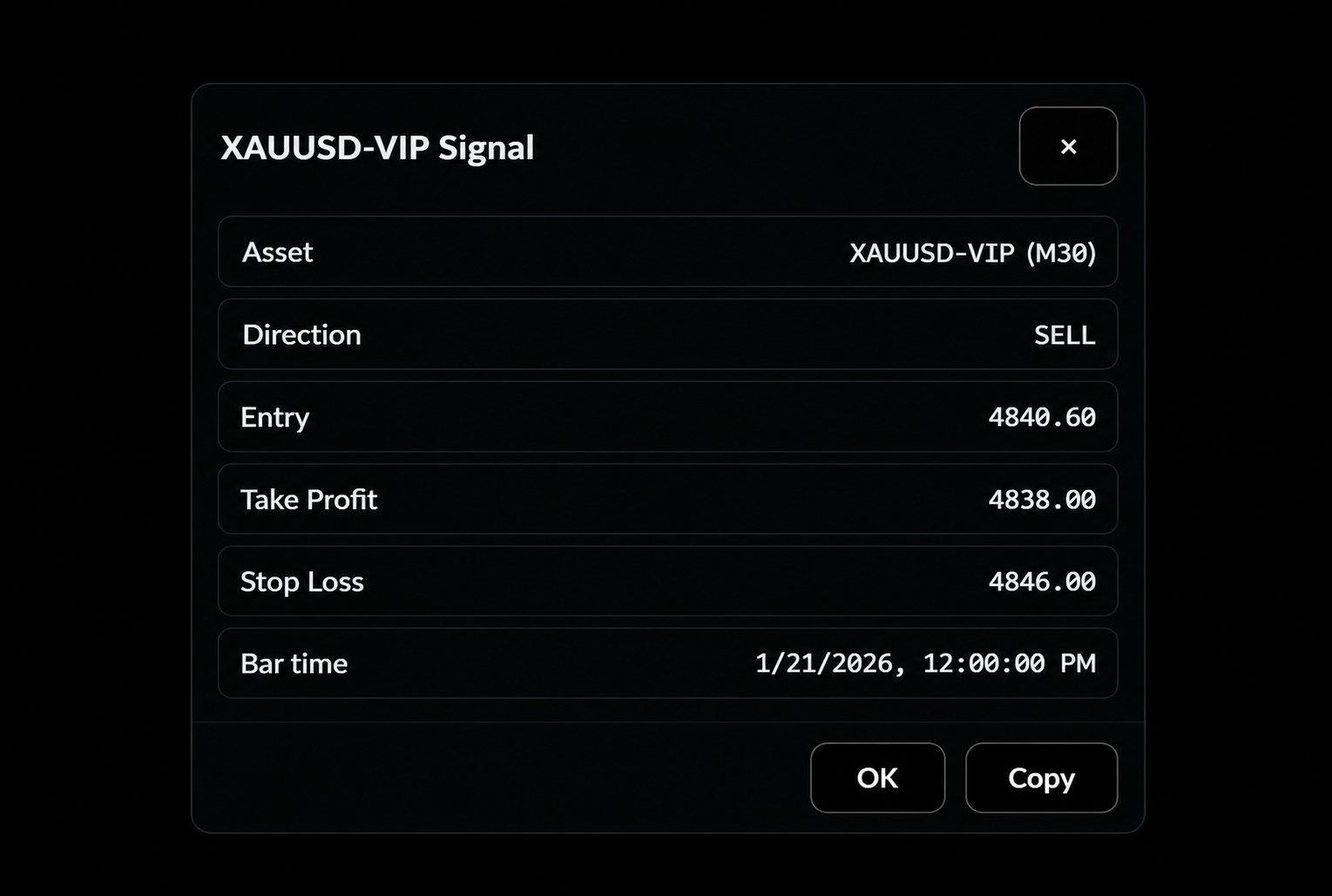
- Asset — e.g., EURUSD, XAUUSD, BTCUSD.
- Direction — Buy / Sell (up or down).
- Entry — Exact price to enter.
- Take Profit — Profit target.
- Stop Loss (SL) — Price to cap risk.
- Bar Time — Timeframe and time it was generated.
Lot Size & Risk
Use fixed fractional risk. Example: with a $5,000 account, risk 1% = $50 per trade. Convert that into lot size using SL distance.
Position Size Calculator
Place a Trade on Your Platform
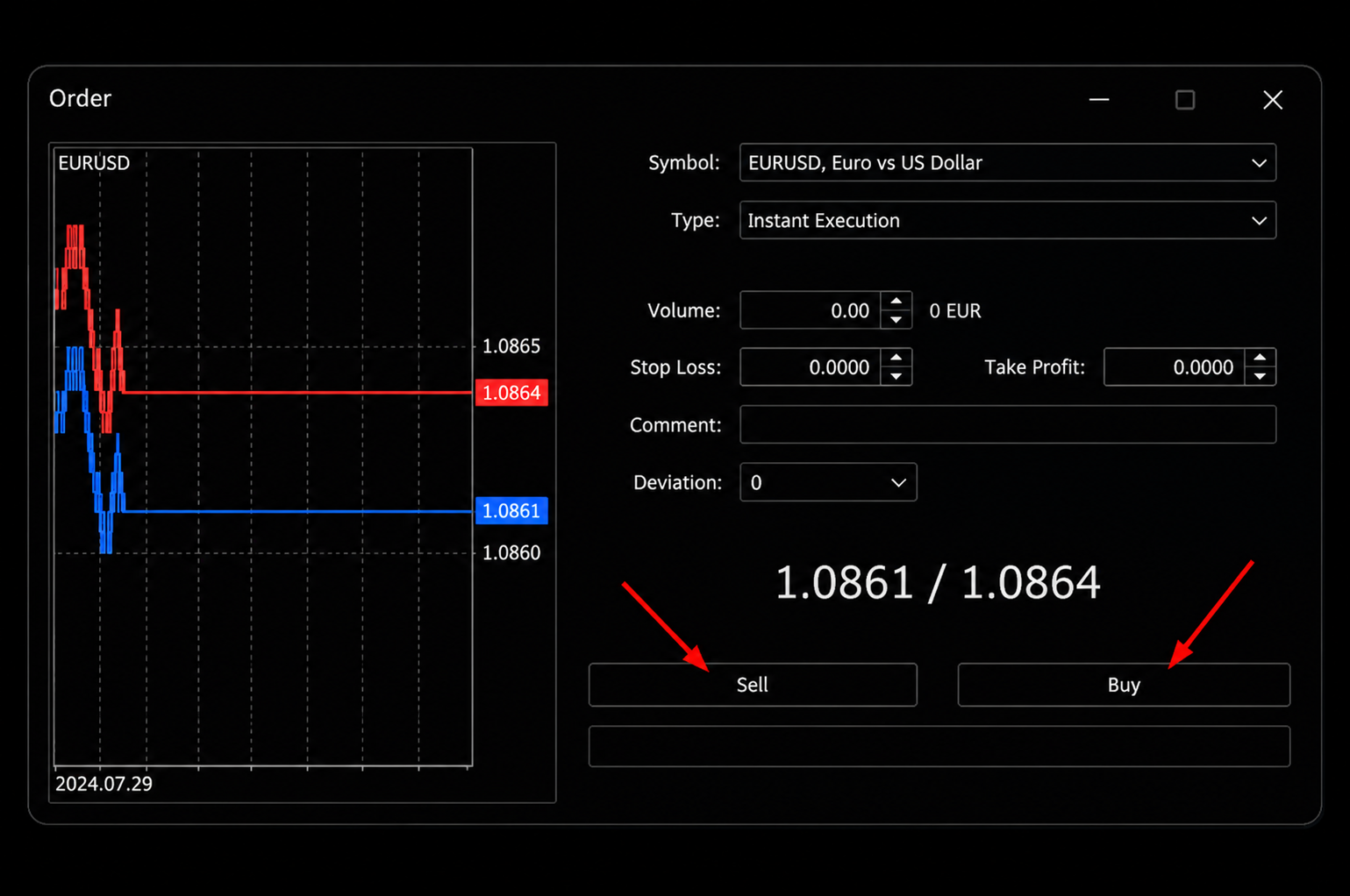
MT4 / MT5
Open the pair → New Order → choose Market Order or Instant Execution → set lot size → set SL/TP → Buy or Sell.
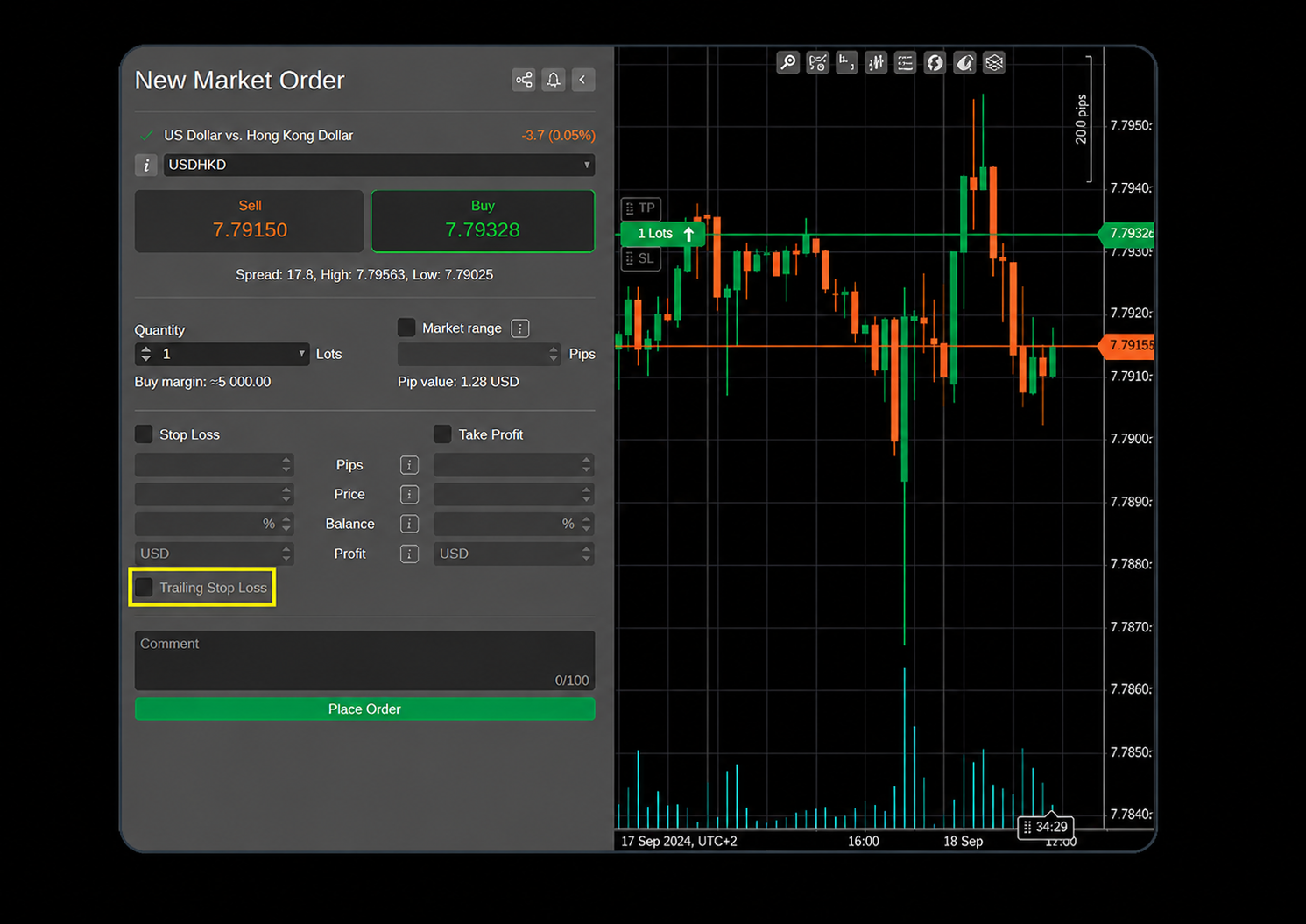
CTrader / WebTrader
Select the symbol → Order Ticket → set quantity → SL/TP → confirm the order.
Best Practices
Before You Enter
Check spread, news calendar, and your margin. Avoid over-leveraging near major announcements.
While in Trade
Consider partial take at TP1, move SL to breakeven when structure confirms, and follow updates in Telegram.
After the Trade
Journal result, screenshot entry/exit, and track metrics (win-rate, avg R, drawdown) weekly.
FAQ
What time are signals posted?
Our Signals can be sent ANYTIME of ALL trading sessions (24 hours a day). Enable Telegram notifications for alerts.
Do I need VIP?
Start wit theFree channel. Later VIP members get more pairs, fast updates, and deeper context.
Which broker/platform should I use?
Use a regulated broker you trust; our signals work with MT4/MT5, cTrader, and WebTrader.